Remove Leave Balance's Employee
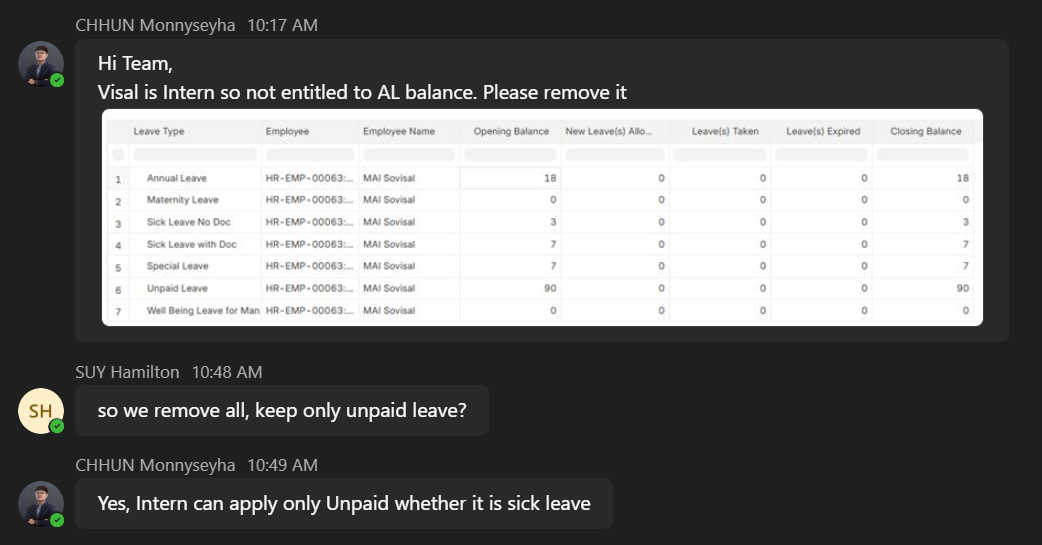
if we don't delete the employee's leave balance, so we decide to cancel and amend it later if needed.
Leave Allocation
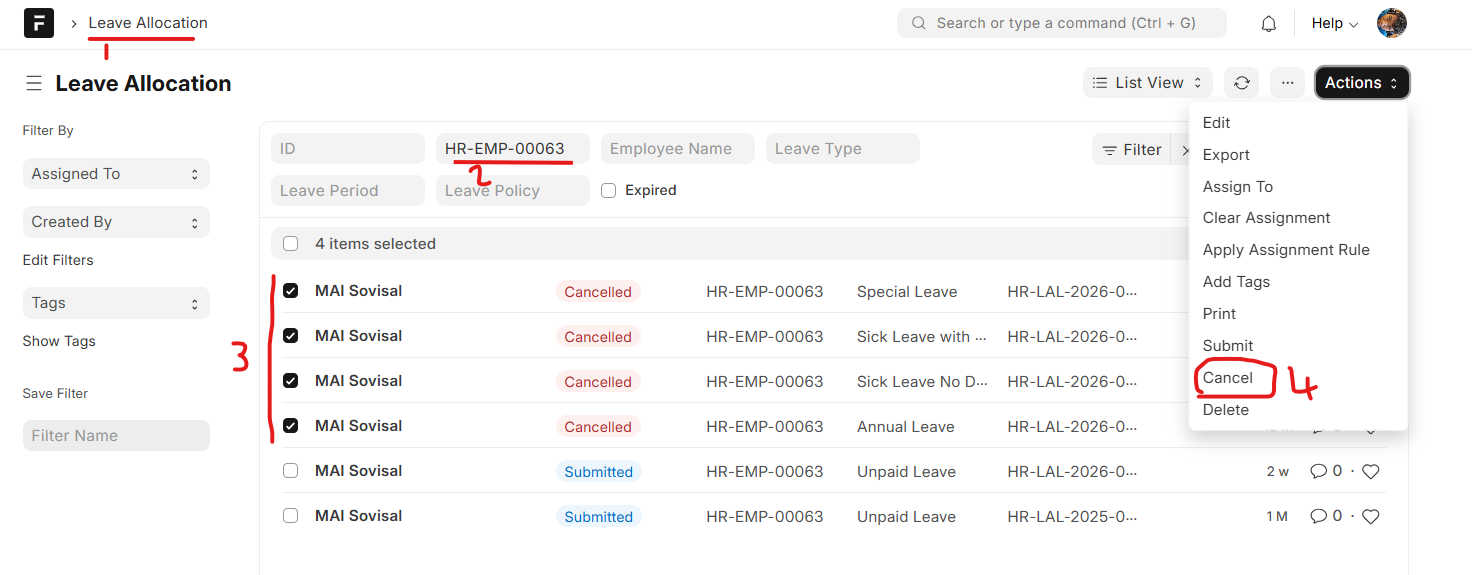
- Go to Leave Allocation
- Search Employee Name
- Check on user
- Click on Actions --> Cancel --> Confirm
Workforce Leave Allocation
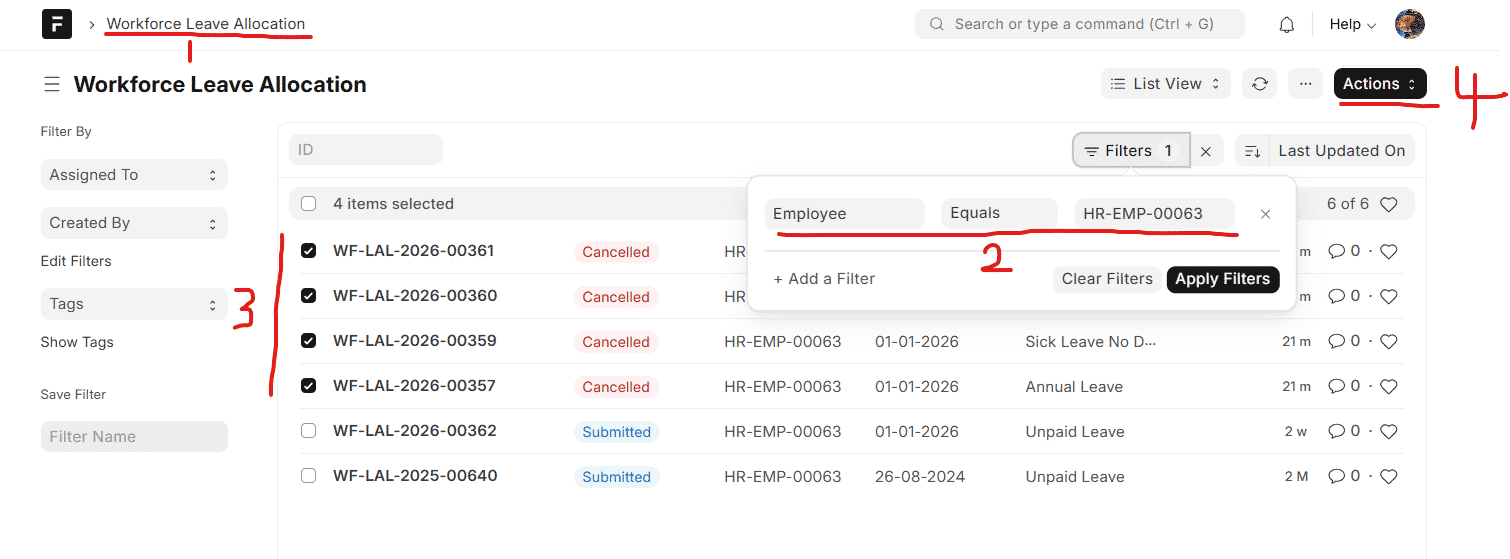
- Go to Workforce Leave Allocation
- Click on filters and filter Employee
- Tick on Employee that want to cancell
- Click on Actions --> Cencel --> Confirm